· 3 MIN READ
How I Turned Bruno Simon's Open-Source 3D Worlds Into My Portfolio (With AI)
The three 3D worlds on my site started as Bruno Simon's open-source Three.js projects. Here's what each one is and how I made them mine with AI.

If you've clicked Explore World on this site, you've walked through three 3D worlds: a cosy room, an endless landscape and a little car playground. I didn't build them from scratch. They started life as open-source projects by Bruno Simon, one of the best creative developers on the web and the teacher behind Three.js Journey.
What I did was take his code and make it feel like my portfolio, mostly by working through it with AI tools. Here's each world, the original repository, and what I changed.
Why start from open source
A portfolio should show what you can do, but nobody said you have to start from an empty file. Bruno publishes the full source of several of his projects on GitHub. That's a gift: production-quality Three.js, real shaders, real physics, all readable.
Reading and remixing great code is one of the fastest ways to learn. And with AI tools, a huge unfamiliar codebase stops being scary. You can ask "where is the camera set up?" or "how is this model loaded?" and get to work in minutes instead of days.
My Room in 3D
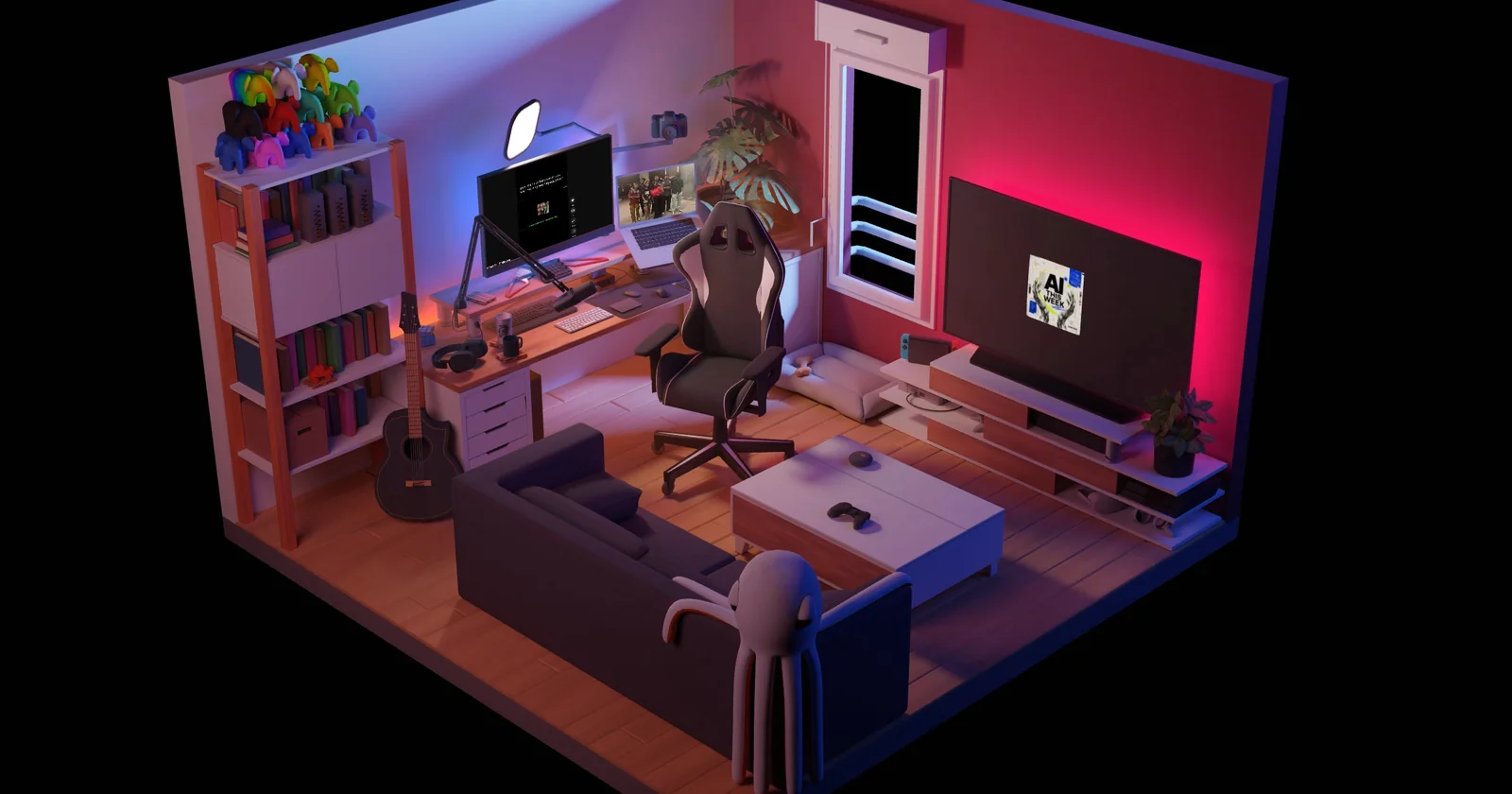
Original: github.com/brunosimon/my-room-in-3d
An isometric, beautifully lit bedroom-studio. The lighting is baked in Blender, so it looks rich but runs smoothly even on phones.
What I changed to make it mine:
- My newsletter on the TV. The TV shows the cover of AI This Week, and clicking it opens the newsletter.
- My photos on the laptop. The laptop plays a slideshow of my own photos and memories.
- My videos on the monitor. The computer screen plays my YouTube Shorts.
- Less clutter. I removed a few of the original props and effects so the room feels like my space rather than a demo.
Infinite World
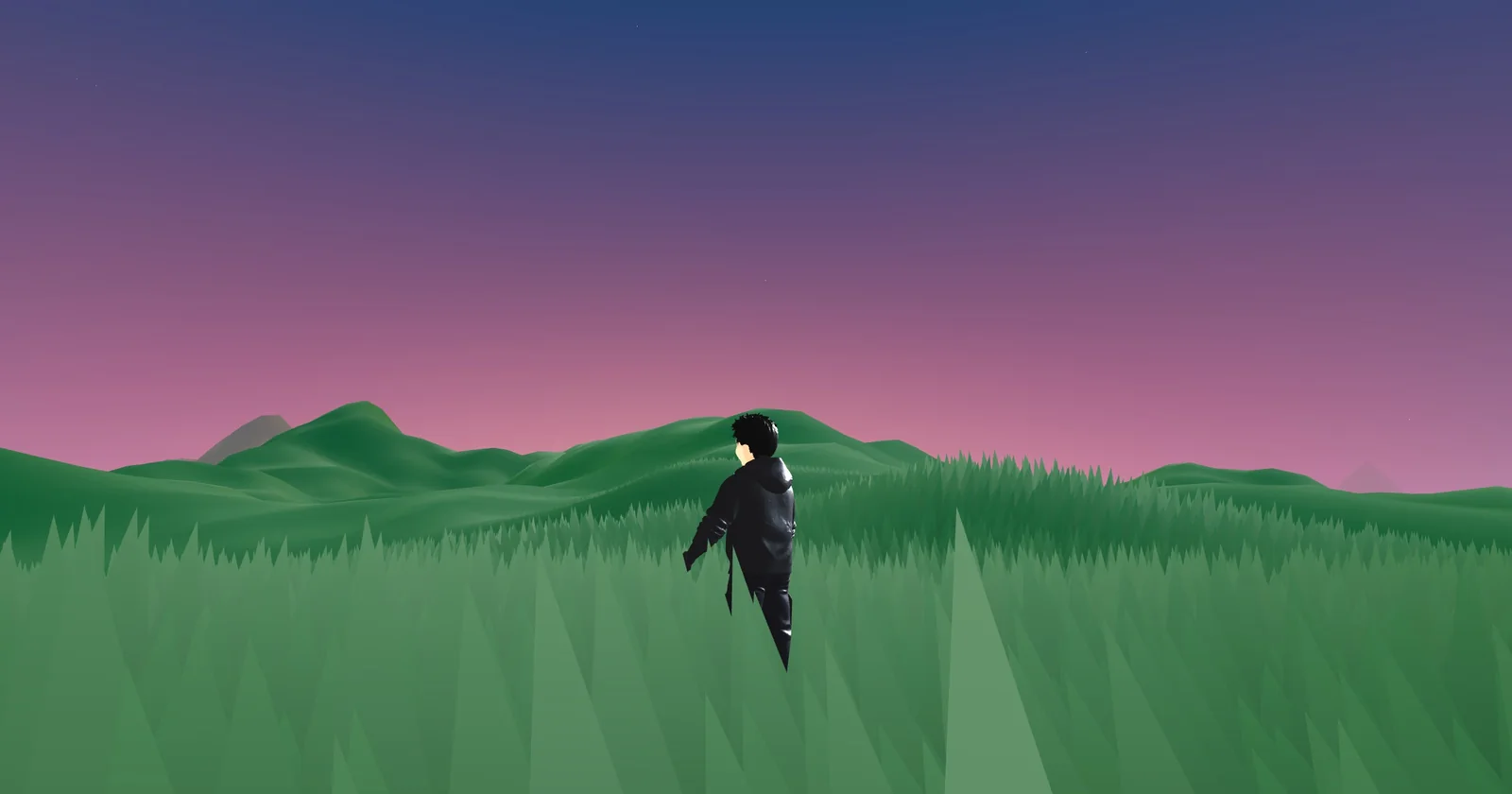
Original: github.com/brunosimon/infinite-world
A procedurally generated landscape that goes on forever: rolling hills, swaying grass and a full day–night cycle, all generated on the fly with noise functions in Web Workers.
What I changed to make it mine:
- My own 3D character. The original has you walk around as a simple shape. I swapped in a rigged 3D version of me with idle and running animations, plus lights that follow the character so it's always visible.
- Phone controls. I added a minimal on-screen arrow pad so it plays properly on mobile.
- Speed. My first character file was 23 MB, way too big. I compressed it to about half a megabyte so it appears almost instantly.
Playground (Folio 2019)
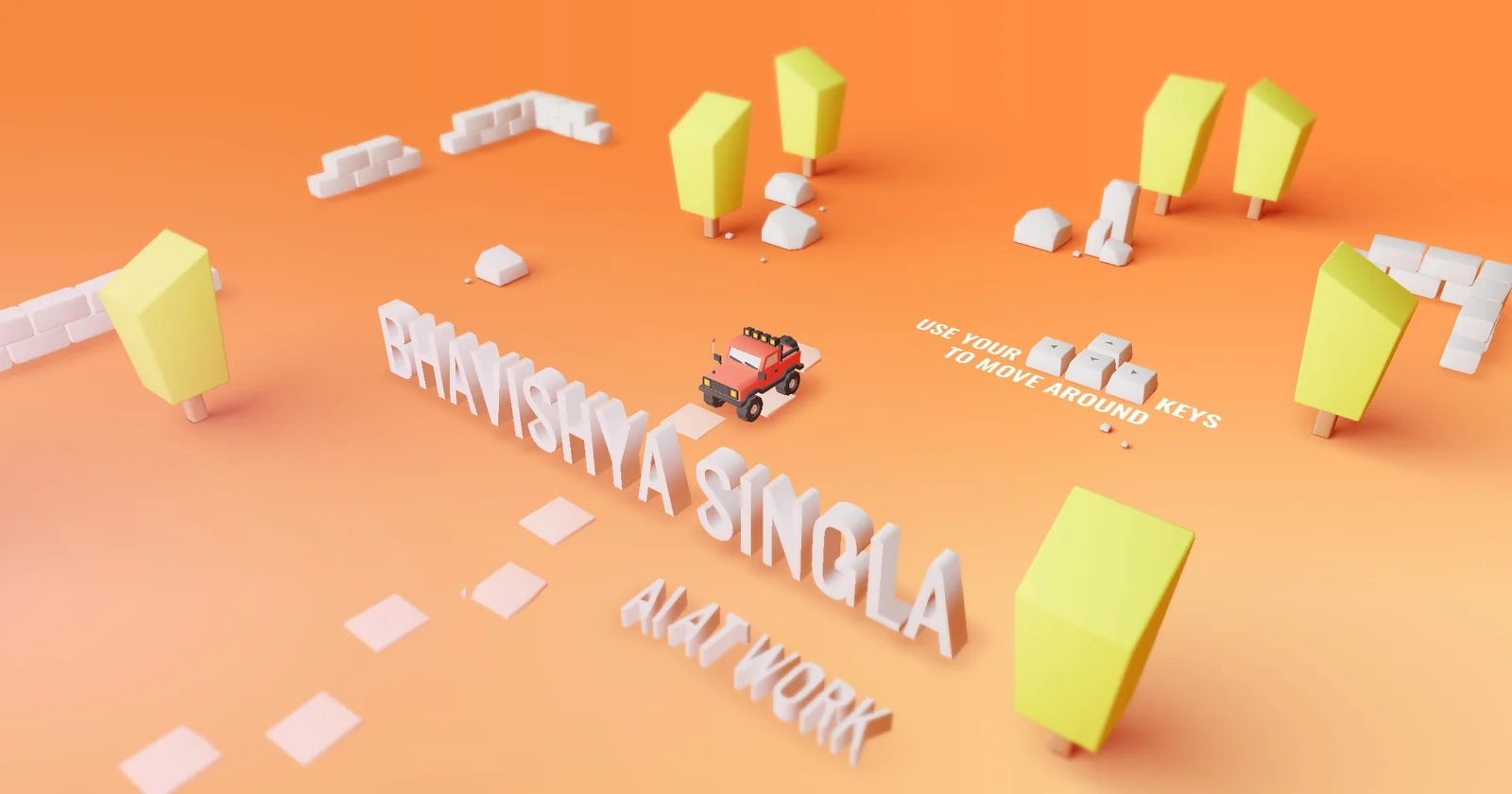
Original: github.com/brunosimon/folio-2019
Bruno's famous 2019 portfolio: you drive a little car around a toy-like world with real physics, knocking things over as you go.
What I changed to make it mine:
- My name in 3D. The intro now spells BHAVISHYA SINGLA in big physical letters you can crash into. I generated the letter models with a Blender script and gave them proper physics and collisions.
- A new tagline. Under my name it reads AI AT WORK.
- My links. The social signs point to my X, GitHub and LinkedIn.
- A simpler world. I removed sections I didn't need, like the original projects area.
How AI tools helped
I used AI coding tools for almost every step:
- Understanding the code. Asking an AI to explain how each project is structured saved hours of digging.
- Making the changes. Swapping models, adding the TV and laptop screens, wiring up mobile controls and generating the 3D letters were all faster with an AI pair programmer.
- Fixing problems. When the physics or the mobile layout broke, describing the problem and iterating with AI got me unstuck quickly.
The AI didn't replace knowing what I wanted. It made the distance between an idea and a working version much shorter.
Credit where it's due
All three worlds are Bruno Simon's work at heart, and I'm grateful he shares them openly. If you want to learn Three.js properly, his Three.js Journey course is the place to start, and his GitHub is full of gems.
Then go explore my versions: My Room, Infinite World and the Playground.